

All the Linux systems keeps the users information in /etc/passwd and /etc/shadow files. User password and account aging details are stored in the shadow file. The aging information contains the details of the password change and account status.
In this tutorial, you will learn about forcing a user to change their password in Linux. Also will discuss the content stored in the shadow file.
Force User to Change Password
We use passwd command to create or change user passwords in Linux systems. It also allows us to expire any user’s password. Once the password is expired, the system will allow users to log in but force them to change their password before getting the shell access.
You can view user account and password details run below command as sudo privileges account:
sudo change -l username
To expire users password, type:
sudo passwd --expire username
Replace “username” with the actual user name of your system.
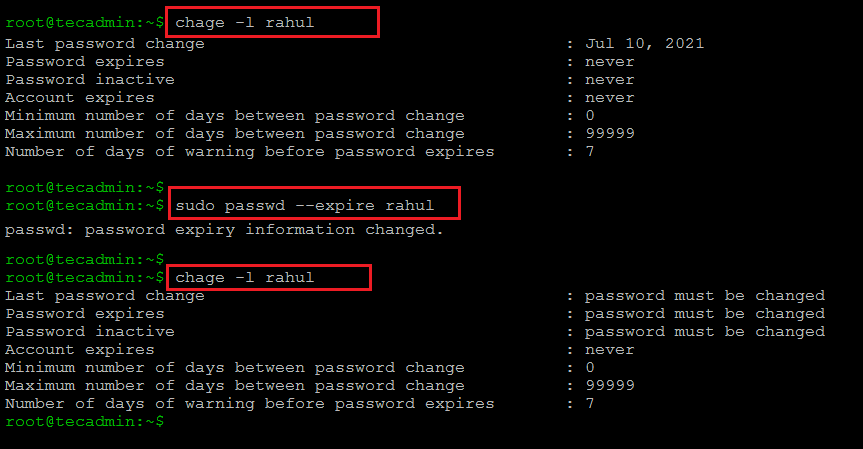
These commands updates the entries in /etc/shadow file.
Hopefully, this FAQ is helpful for you.
How did it make you feel?
