

uTorrent is most popular torrent client available for Linux systems. uTorrent downloads file very fast and efficiently as possible without slowing other online activities. This article will help you to install uTorrent on Ubuntu, Debian & LinuxMint systems with easy steps.
Step 1 of 3Prerequsiteis
Before installing uTorrent on system first install required packages using following command.
sudo apt-get install libssl0.9.8:i386
Step 2 of 3Setup uTorrent
Download the uTorrent server source code from its official website.
cd /usr/src
sudo wget http://download.utorrent.com/linux/utorrent-server-3.0-25053.tar.gz
Now extract the downloaded archive using following command.
sudo tar xvzf utorrent-server-3.0-25053.tar.gz
sudo chmod -R 777 /usr/src/utorrent-server-v3_0/
Now make a softlink of utserver to systems bin directory.
sudo ln -s /usr/src/utorrent-server-v3_0/utserver /usr/bin/utserver
Step 3 of 3Start uTorrent Server
Finally start the uTorrent server using following command:
utserver -settingspath /usr/src/utorrent-server-v3_0/
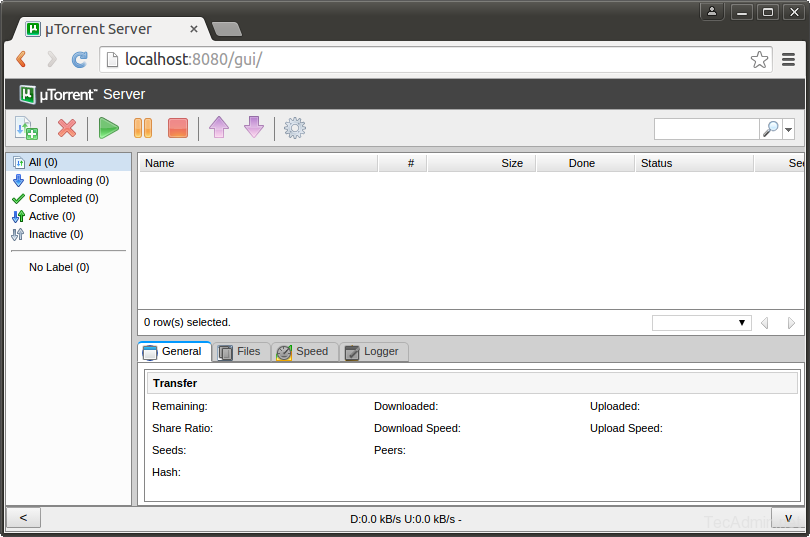
uTorrent server will start on port 8080 on the local system. Open a web browser and connect to your system on port 8080 as below URL.
-
http://localhost:8080/gui/
Username: admin
Password: <keep it empty>
How did it make you feel?

Hi Body!
Afetr when i use this command:
utserver -settingspath /usr/src/utorrent-server-v3_0/
this happend:
-bash: /usr/bin/utserver: Nincs ilyen fájl vagy könyvtár Doesnt found file or dictionery.
Your article helped to install Utorrent in Linux mint without any hassle. But how to find the downloaded files.
It is showing this error in Debian 9
E: Unable to locate package libssl0.9.8
E: Couldn’t find any package by regex ‘libssl0.9.8’
sudo apt upgrade && sudo apt update