
Spotify is an entertainment company gives you instant access to millions of songs from old favorites to the latest hits. This tutorial will help you to install Spotify application on your Ubuntu and LinuxMint desktop systems. This tutorial describes 2 ways to install Spotify application on Ubuntu and Linuxmint using the command line. You can select any one of the below options. Note: Spotify do not provides its services in multiple counties all over world including India. Install Spotify using Snap Spotify application is also available in Snap for easier installation. You can install Spotify using Snappy quickly from the…
Author: Rahul

Rahul
I, Rahul Kumar am the founder and chief editor of TecAdmin.net. I am a Red Hat Certified Engineer (RHCE) and working as an IT professional since 2009..
Read More
Brief: The Ubuntu development team is now started working on the next release of Ubuntu 18.10. This article will provide you all details about Ubuntu 18.10. A new milestone has been completed after the release of Ubuntu 18.04. Now the development team starting work for upcoming released by keeping in mind of the next LTS release 20.04. As of writing Mark Shuttleworth (Founder of Ubuntu) has revealed the codename for upcoming release Ubuntu 18.10 but not introduced the release cycle and codename for Ubuntu 18.10. The Ubuntu 18.10 is the next standard (non-LTS) release. As per the Ubuntu life cycle…
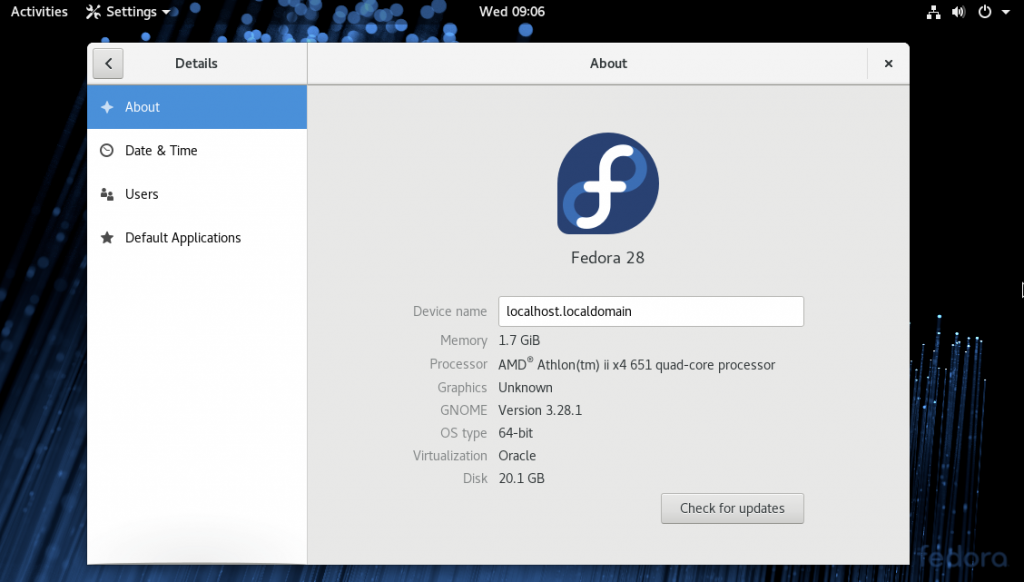
Fedora 28 has been released on May 01, 2018 with many changes and improvements than the previous version. Fedora 28 desktop edition required at least 1 GHz processor, 1 GB RAM, and 10 GB space available to install. Download Fedora 28 Workstation The Fedora 28 Desktop edition is available in both 64-bit and 32-bit architecture. You can use following download links to download Fedora Desktop as per your choice and requirement. GNOME is the default desktop environment. Fedora 28 Workstation [64-bit] Fedora 28 Workstation [32-bit] Existing Fedora users can upgrade your system to Fedora 28 from Fedora 27,26,25 using these…
Ionic Framework is useful for building mobile apps like Android and iOS. This article will help you to install Node.js, Cordova and Ionic framework on Debian 9 Stretch and Debian 8 Jessie systems. 1. Install Node.js You must have Node.js installed on your system. Use the following commands to install NPM and Node.js. The first command will install some required packages on the system. The second command will add PPA for node.js to your system. You can visit our tutorial to install latest Node.js on Ubuntu and Debian systems. sudo apt-get install python-software-properties curl -sL https://deb.nodesource.com/setup_10.x | sudo -E bash…
Apache Cordova is an open-source mobile development framework. It allows you to use standard web technologies such as HTML5, CSS3, and JavaScript for cross-platform development, avoiding each mobile platform’s native development language. Apache Cordova command-line requires Node.js to run and is available on NPM. Recommended: Install Ionic Framework on Ubuntu and LinuxMint This tutorial will help you to Install and Use Apache Cordova on Debian 11, Debian 10 Buster, and Debian 9 Stretch Linux systems. 1. Install Node.js and NPM Your Debian system must have installed NPM and Node.js. Add the PPA for node.js to your system. After that update,…
SSL 2.0 and SSL 3.0 having lots of known vulnerabilities like POODLE (CVE-2014-3566), That’s why latest browsers have removed support for these vulnerable protocols. We also recommend moving your server to use TLS versions and specifically to TLS 1.2. This tutorial will help you to enable TLS 1.2 with Nginx web server. Install and Use Let’s Encrypt SSL in Nginx Enable TLS 1.2 Only in Nginx Edit your Nginx server block section for your domain in configuration file on your server and add set the ssl_protocols as followings. This enables TLSv1.2 only protocol in your Nginx server block. ssl_protocols TLSv1.2;…
Nginx is another most popular web server than Apache HTTP Server. It is used by a large number of popular websites word wide. This web server is highly useful for heavy traffic websites. This tutorial will help you to install Nginx on Debian 8 Jessie using apt-get. 1. Prerequisites To install Nginx on Debian 8, you must have root or sudo privileged user access to your system. For the remote systems can use ssh command or putty for Windows user to login. ssh root@debian9 2. Install Nginx on Debian 8 The Nginx latest packages are available under default repositories for…
Nginx is another most popular web server than Apache HTTP Server. It is used by a large number of popular websites worldwide. This web server is highly useful for heavy traffic websites. This tutorial will help you to install Nginx on Debian 9 Stretch using apt-get. 1. Prerequisites To install Nginx on Debian 9, you must have root or sudo privileged user access to your system. For the remote systems can use ssh command or putty for Windows user to login. ssh root@debian9 2. Install Nginx on Debian 9 The Nginx latest packages are available under default repositories for all…
GIMP (GNU Image Manipulation Program) is a freely distributed software for manipulating images. We can easily optimize the image, convert their type using GIMP. It provides the power and flexibility to designers to transform images into truly unique creations. GIMP is a cross platforms application and is available for Linux, Windows, MAC OS, and FreeBSD, etc. This article will help you to install the latest Gimp on Ubuntu 18.10, 18.04 LTS Linux systems. The designers searching for a free tool for image manipulation. GIMP will provide all the tools required for your image creations. You will get the features like…
Grunt (The JavaScript Task Runner) is an automation tool to perform repetitive tasks like compilation, unit testing etc. Grunt has a long list of the plugin to perform tasks provided by its community. In this tutorial, you will learn how to install Grunt & Grunt-cli on Debian 9 Stretch and Debian 9 Jessie. Prerequsites You must have root or sudo privileged user account access to your Debian system. Now login to your Debian system. For remote system can use ssh client or its alternatives for Windows. ssh root@debian Upgrade the current packages to the latest version. sudo apt update sudo…