
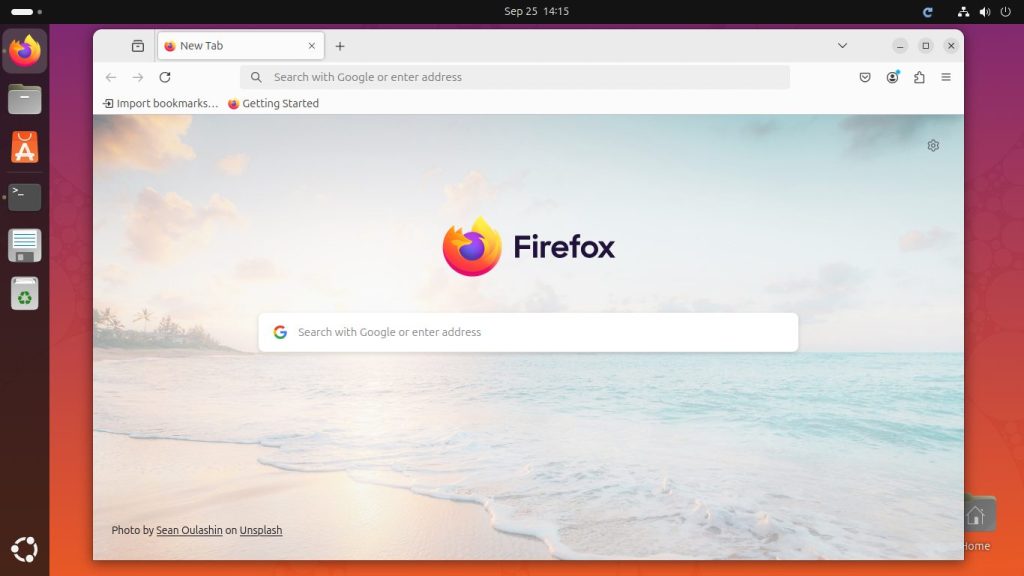
Mozilla Firefox is one of the most popular web browser in the world, known for its speed, security, and customization capabilities. By default, the Ubuntu Linux comes preinstalled Firefox browser but due to its frequent updates, Your system may have running older versions. This article guides you through installing or updating the latest Firefox on Ubuntu and Linux Mint systems. You can choose one the below given methods for install Firefox on your Ubuntu system based on your requirements: Using the Default Ubuntu Repositories (Recommended) Installing Firefox Directly from Mozilla Using the Firefox Next PPA Method 1: Using the Default…
Author: Rahul
In programming, manipulating text, or what we commonly refer to as ‘strings’, is an everyday task. One common operation is capitalizing the first letter of a string. This operation is often used when you need to ensure that names, sentences, or titles follow proper capitalization rules. If you’re a JavaScript developer, you might wonder, “How do I capitalize the first letter of a string in JavaScript?” This article will walk you through this process in a comprehensive, detailed way. What is a String? Before diving into the main topic, let’s quickly clarify what a string is. In JavaScript, a string…
Python, an open-source, versatile, and powerful language, is popular for a variety of applications, from web development to data analysis and machine learning. Whether you are a seasoned developer or a beginner, knowing how to install Python on your system is essential. This guide will walk you through the process of installing Python on Rocky Linux 9, a community-driven Linux distribution which aims to provide a production-ready enterprise software experience. Preparing the System Before you start the Python installation process, it’s essential to ensure that your system is up-to-date. Open the Terminal and execute the following command: sudo dnf update…
What is Software? A clear, beginner-friendly guide to understanding software, its types, and how it works Every time you open an app on your phone, browse the web, or use a word processor, you are using software. Software is the invisible engine that powers every modern device. Without it, computers, smartphones, and servers would be nothing more than expensive pieces of metal and plastic. Definition Software is a collection of instructions, data, and programs that tell a computer how to perform specific tasks. Unlike hardware — the physical parts of a computer — software is intangible. It exists as code…
Docker has revolutionized the way developers think about software deployments and environment consistency. A commonly encountered scenario in the Docker ecosystem is when one modifies a running container and wants to preserve those changes for future use or distribution. This might be for troubleshooting, testing modifications, or simply wanting to share a particular environment setup. The best way to accomplish this is by creating a Docker image from the running container and then pushing it to Docker Hub. This article provides a step-by-step guide on how to seamlessly achieve this, ensuring that your container’s state is captured and made readily…
Version control systems like Git are very important for software development. But if they are not properly secured, they can leak sensitive information. Many web developers accidentally leave the .git directory accessible on live websites, which lets anyone download and see the repository. This guide will show you how to block access to the .git directory on Apache and Nginx web servers. Apache: Using .htaccess Find the .htaccess file: Go to the root directory of your website or the directory where the .git folder is. Edit the .htaccess file: Open .htaccess in a text editor. If it doesn’t exist, create…
Firefox, widely recognized for its speed, security, and emphasis on user privacy, is a browser of choice for many. This guide is designed to walk you through the process of downloading and installing the latest version of Firefox on Rocky Linux using a zip file. This guide will steer you through the nuances of deploying Firefox on your Rocky Linux system. We’ll focus on the Firefox pre-built version for Linux, which has the advantage of being pre-compiled, allowing you to simply unpack and use it right away. Step 1: Eliminate Pre-existing Firefox Versions Certain Linux distributions come with Firefox pre-loaded.…
Microservices architecture has revolutionized the software development landscape, providing a more flexible and scalable approach than the traditional monolithic architecture. In the realm of microservices, Python’s Flask has established itself as a popular and capable choice. This article will walk you through the process of building microservices with Flask for DevOps, including practical examples. Introduction to Flask Flask is a lightweight and versatile web framework written in Python. It is often contrasted with Django, a Python framework that is more feature-rich but also more heavyweight. Flask’s “micro” designation doesn’t refer to its ability to create small apps, but rather its…
Setting up a custom host and port in a Flask application is a simple but important step. Flask is a web framework for building web applications with Python. By default, Flask runs on localhost (127.0.0.1) and port 5000. However, you might need to change these settings for different reasons, such as testing on a different machine or using a specific port. This guide will help you understand how to set up a custom host and port for your Flask app, making your application more flexible and ready for various environments. Flask’s Default Host and Port Settings By default, a Flask…
NGINX is an open-source, high-performance HTTP server software. In the tutorial, you will learn how to install the Nginx web server on Fedora Linux systems. Prerequisites A running Fedora Linux system A user account with sudo or root access. Step 1: Update Operating System The first step is to update all the existing packages on your Fedora operating system. This tutorial is using the sudo command. To set up an existing or new sudo account, visit our tutorial on Adding a User to Sudoers on Fedora. Let’s update all packages by executing: sudo dnf upgrade –refresh -y Step 2: Install…
