Windows TutorialsHow to Clear the ASP.NET Temporary files in WindowsBy RahulJune 15, 2022When developing ASP.NET applications, the framework compiles and stores temporary files to improve performance. Over time, these files may accumulate…
Windows TutorialsCreating Python Virtual Environment on WindowsBy RahulJune 3, 2022A Virtual Environment provides an isolated environment for your application. That helps to maintain multiple Python applications on a single…
Windows TutorialsHow to Enable / disable Firewall in WindowsBy RahulMay 16, 2022A firewall is a security application that prevents unauthorized users and secures your system. By default, the Firewall is installed…
Windows TutorialsHow to Start/Stop Windows Service via Command LineBy RahulMarch 15, 2022A Windows service is a background process that runs in the background of your Windows computer. It can run in…
Windows TutorialsHow to Change Hostname (Computer Name) on WindowsBy RahulMarch 11, 2022A hostname is a unique name for a device in a network, which helps to manage and control the network.…
Windows TutorialsHow To Install NVM on WindowsBy RahulMarch 4, 2022NVM (Node Version Manager) is the command-line utility for installing Node.js on your system. It allows us to install multiple…
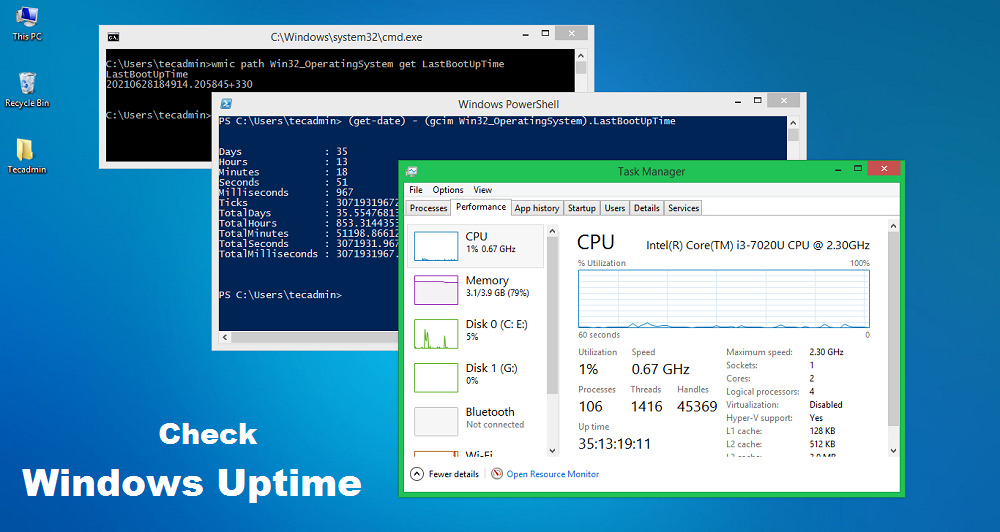
Windows TutorialsHow to Check Computer Uptime in WindowsBy RahulAugust 4, 2021Computer Uptime refers to how long a system has been up and running without any shutdown or restart. The computer…
Windows TutorialsHow To Enable Multiple RDP Sessions on Windows ServerBy RahulJuly 20, 2021Remote Desktop Protocol (RDP) is a protocol developed by Microsoft, that allows a user to access remote systems graphically. The…
Windows TutorialsHow To Change User Password in Windows Server 2019By RahulJune 1, 2021Changing password at a regular interval is a good practice for all system administrators. In this production environment, change the…
Windows TutorialsWhich Process is Listening on a Port in WindowsBy RahulOctober 28, 2020If you’re a system administrator, you know how important it is to keep an eye on the processes running on…