

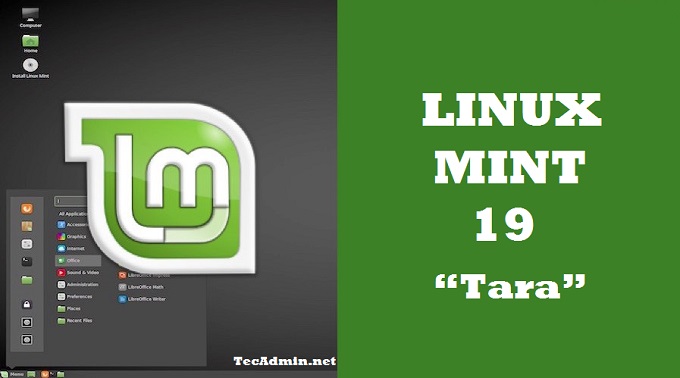
Linux Mint 19 “Tara” was released on 29 June 2018 as a long-term support release built on Ubuntu 18.04 LTS. It introduced Timeshift system snapshots as a core part of the update process, moved to GTK 3.22, and dropped KDE in favour of the Cinnamon, MATE and Xfce editions.
Linux Mint 19 reached end of life in April 2023. It no longer receives security updates, and many applications have stopped supporting it. If you still run any Mint 19.x release, plan your move to a supported version now. This page sums up the Mint 19 series and shows your upgrade options.
Linux Mint 19 Releases at a Glance
| Version | Codename | Released | Base |
|---|---|---|---|
| Linux Mint 19 | Tara | June 2018 | Ubuntu 18.04 LTS |
| Linux Mint 19.1 | Tessa | December 2018 | Ubuntu 18.04 LTS |
| Linux Mint 19.2 | Tina | August 2019 | Ubuntu 18.04 LTS |
| Linux Mint 19.3 | Tricia | December 2019 | Ubuntu 18.04 LTS |
All four point releases shared the same support period, which ended in April 2023.
What Linux Mint 19 Brought
- Timeshift became the recommended way to protect the system: the Update Manager asked users to set up snapshots before applying updates.
- A new Welcome Screen guided new users through drivers, updates, backups and the Software Manager.
- The move to Ubuntu 18.04 and GTK 3.22 brought newer libraries and better theme support.
- Later point releases added refinements such as the System Reports tool and better HiDPI support in Mint 19.3.
Which Linux Mint Releases Are Supported Now?
| Series | Base | Supported until |
|---|---|---|
| Linux Mint 22.x (latest: 22.3 “Zena”) | Ubuntu 24.04 LTS | April 2029 |
| Linux Mint 21.x | Ubuntu 22.04 LTS | April 2027 |
| Linux Mint 20.x | Ubuntu 20.04 LTS | Ended April 2025 |
| Linux Mint 19.x | Ubuntu 18.04 LTS | Ended April 2023 |
The next major Linux Mint release, based on Ubuntu 26.04 LTS, is expected around the end of 2026.
How to Upgrade from Linux Mint 19
There is no direct upgrade from Mint 19 to Mint 22. You have two options.
Option 1: Fresh install of Linux Mint 22.3 (recommended)
A clean install is faster and more reliable than three upgrades in a row.
- Back up your home folder to an external drive. Timeshift snapshots do not include personal files by default.
- Save a list of the applications you use. You can export your installed packages with
dpkg --get-selections > packages.txt. - Download the Linux Mint 22.3 ISO from linuxmint.com and write it to a USB stick.
- Boot from the USB stick and install Mint 22.3, then restore your files.
Option 2: Upgrade step by step with mintupgrade
Linux Mint supports upgrading one major version at a time with its mintupgrade tool. From Mint 19 the path is:
- Update to the last point release, Mint 19.3, with the Update Manager.
- Upgrade 19.3 → 20. Mint 20 and later are 64-bit only, so a 32-bit Mint 19 installation cannot be upgraded and needs a fresh install.
- Update to Mint 20.3, then upgrade 20.3 → 21.
- Update to Mint 21.3, then upgrade 21.3 → 22 and apply the latest updates to reach 22.3.
Before each step, create a Timeshift snapshot and follow the official upgrade instructions on the Linux Mint blog for that release. Each upgrade downloads several gigabytes, so allow time and a stable connection.
Conclusion
Linux Mint 19 “Tara” was a solid release, but it has been out of support since April 2023. For the safest result, back up your files and do a fresh install of Linux Mint 22.3, which is supported until April 2029.
How did it make you feel?
